Provider Overview
ClickSend was founded in Perth in 2013 by Matt Larner and is now headquartered in Melbourne. It sits at the self-serve end of the Australian market: you sign up, top up a balance, and start sending, with no sales call and no contract.
Its ownership has changed twice. MessageMedia acquired ClickSend in 2019, and when Sinch acquired MessageMedia in 2021 (completing in 2022), ClickSend came with it. So ClickSend and MessageMedia are now sibling brands under the same Swedish parent, worth knowing if you are comparing the two and assuming they are independent alternatives. They are not.
What the Sinch ownership actually means in 2026
This is the part that has changed recently, and it is the main reason to read a current review rather than an old one.
MessageMedia has been folded into Sinch’s unified platform. As of 28 July
2026 it rebranded to Sinch Engage, and the messagemedia.com site for
Australia and New Zealand was retired on 1 September 2026. Sinch says products, APIs, pricing, contracts and the local
support team are unchanged, and there is no data migration. But the brand you
signed up with no longer exists as a separate product.
ClickSend has not been migrated to that platform, but it has been rebranded. The product is now Sinch ClickSend, and the Sinch wordmark sits above the ClickSend logo throughout the dashboard. What has not happened is the Sinch Engage treatment: ClickSend still runs on its own domain, with its own dashboard, its own API and its own pricing. Sinch lists it separately in its portfolio alongside SimpleTexting rather than folding it into Engage.
So the distinction is narrower than it first looks. Both products carry Sinch branding now. Only MessageMedia has been moved onto the unified platform and had its website retired.
Logging in, you can see the transition is partly done. Some screens have moved to a newer light interface while others still run the older blue-header design:
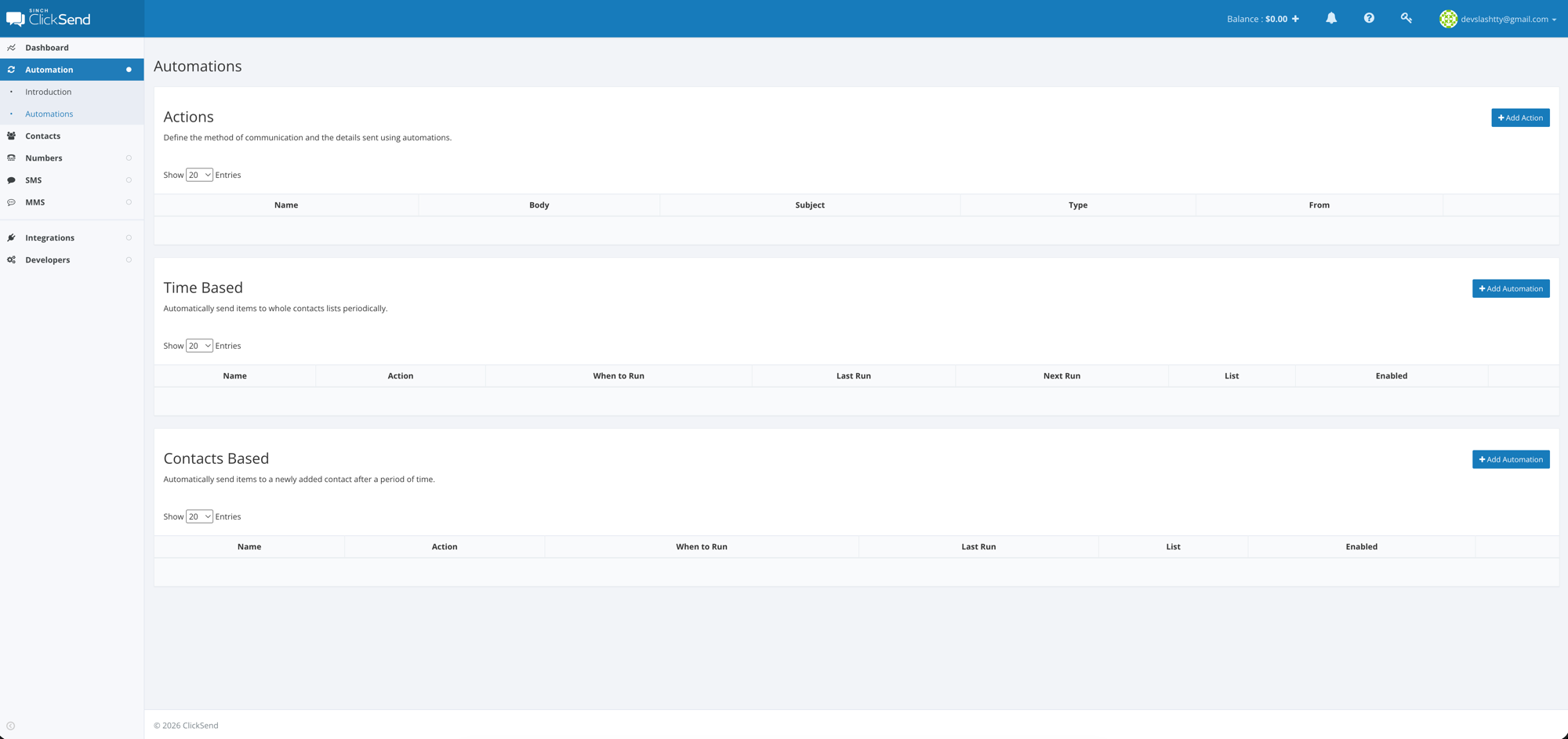
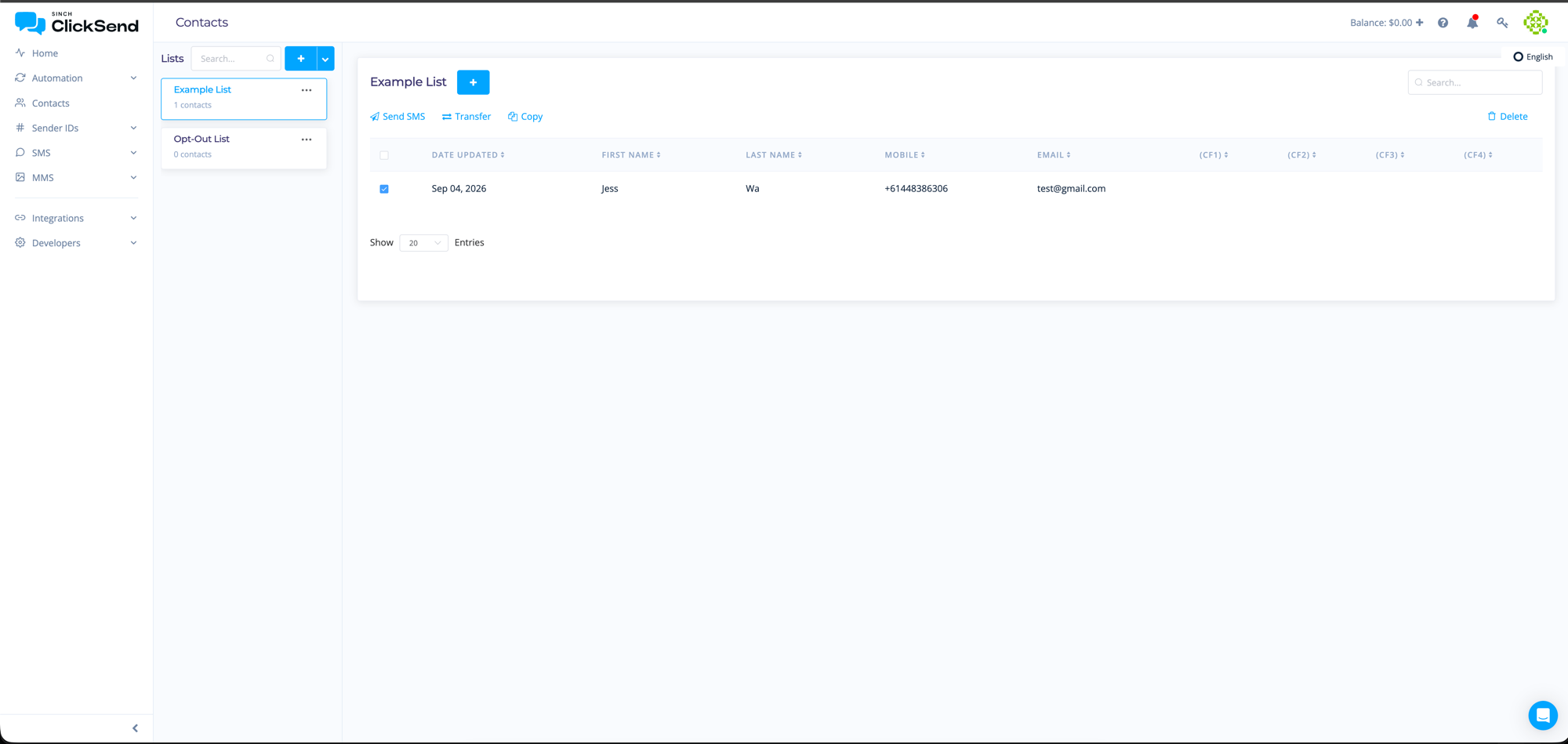
Two different design languages in one product is a fair signal that the migration is mid-flight. For buyers the practical question is whether ClickSend eventually gets a full Engage-style consolidation. Nothing has been announced, but given what happened to MessageMedia, it is worth asking directly if platform stability over the next few years matters to you.
Pricing
ClickSend is pay-as-you-go with no subscription and no monthly minimum. You top up a balance and the rate per SMS depends on the size of that top-up:
| Tier | Minimum top-up | Per SMS (AUD) |
|---|---|---|
| Boost | $20 | 7.2c |
| Growth | $500 | 6.7c |
| Scale | $3,000 | 6.2c |
| Enterprise | $10,000 | 5.7c |
Inbound SMS are free, which is unusual and genuinely useful if you run two-way campaigns or reply handling. Messages over 160 characters bill as multiple parts in the normal way, and carrier fees apply on top of the rates above.
Dedicated numbers are $20.90 per month for an Australian mobile number, bought self-serve from the dashboard with no setup fee or approval wait:
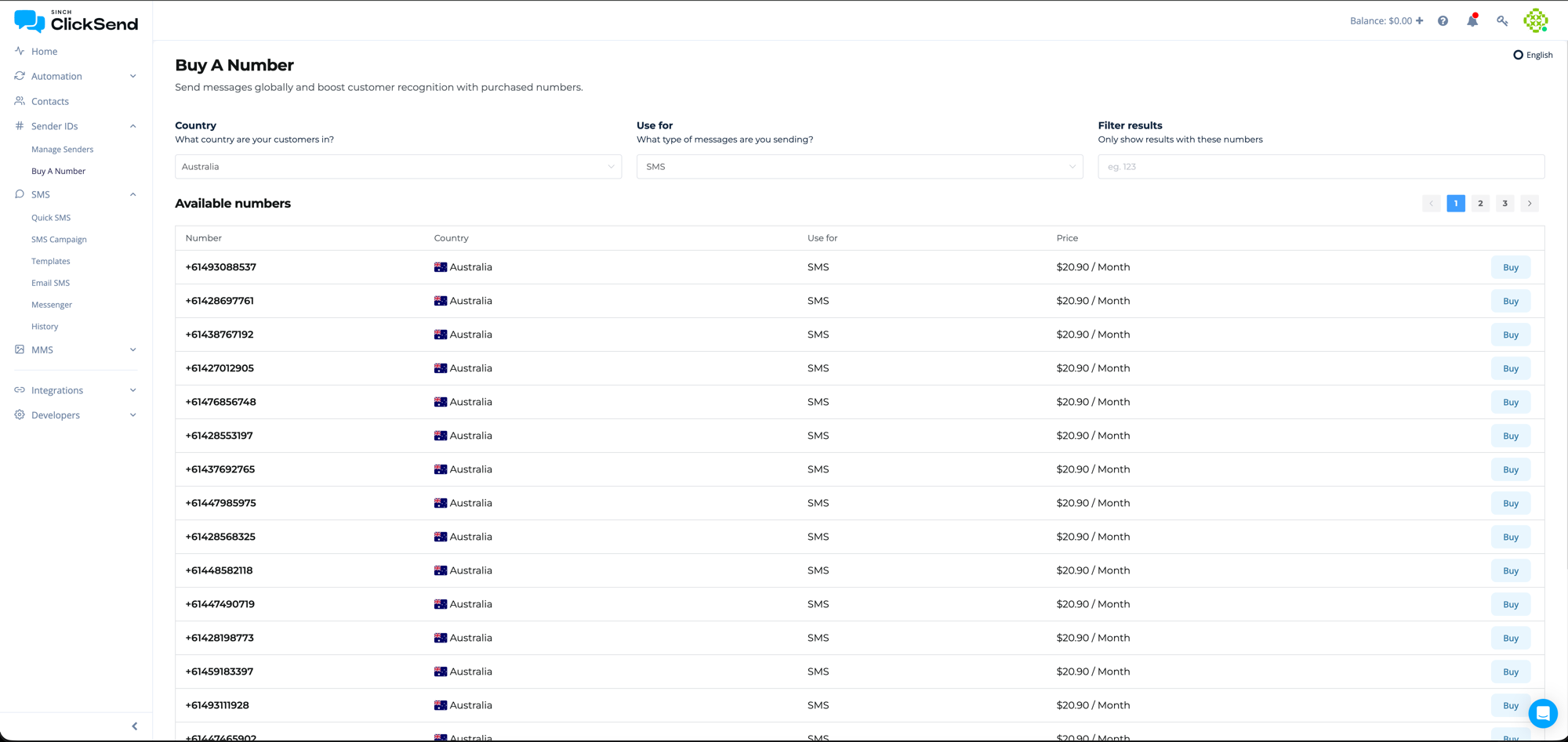
That is a straightforward, published price you can act on immediately, which is useful because several competitors quote dedicated numbers only on request.
Two things to note when comparing this to headline rates elsewhere:
- The entry rate is not cheap. At 7.2c, ClickSend’s starting price is at the expensive end of the Australian market. touchSMS publishes a flat 5c from a $20 top-up, below ClickSend’s best Enterprise rate, and providers targeting bulk senders will quote 2 to 4c at volume.
- But there is no subscription. MessageMedia, now Sinch Engage, runs a monthly plan model, so its cheaper effective rates come attached to a plan fee and, on the larger plans, a contract. If you send irregularly, ClickSend’s no-commitment model can work out cheaper overall even at a higher per-message rate. Run the numbers on your actual monthly volume rather than comparing headline cents.
APIs and Integrations
This is ClickSend’s real differentiator, and it is not really about SMS.
One API, many channels
Most providers on this site do SMS and MMS. ClickSend does SMS, MMS, voice (text-to-speech), email, fax, and physical post. It will print, fold and mail a letter or postcard through the same API you send a text with. If you have a use case that needs to fall back to a letter (debt collection, regulatory notices, insurance correspondence), doing it through one vendor and one integration is a real saving.
SMS API
The API is a straightforward REST interface with simple key-based authentication, which means you can test it from the command line before writing any code. There is no OAuth flow to work through, which sounds minor but saves real time on a first integration.
Batch sending is properly supported, so you send many messages in one call rather than hammering the endpoint once per recipient. Messages can be scheduled ahead of time, given a per-message reference so delivery receipts can be matched back to records in your system, and assigned different sender IDs by destination country.
One nice touch: the API tells you what a send cost when you submit it, rather than leaving you to work it out from an invoice later. If you are billing usage through to your own customers, that saves building a cost-estimation layer of your own.
Rate limits exist but the actual throughput figures are not published, so if you are planning a high-volume send you will need to establish those with support rather than from the docs.
The developer documentation is clear and well organised, with error responses and status codes properly documented rather than left to guesswork. Official SDKs cover Node, PHP, Python, Ruby, Java, .NET and Go, so most teams will not be writing a client by hand. SMPP and FTP access are available for higher-volume or legacy integrations.
Other capabilities worth knowing about:
- Delivery receipts and webhooks
- Inbound SMS routed to email, webhook or Slack
- Dedicated local and toll-free numbers
- Keyword campaigns on inbound numbers
- SMS to email, plus an Outlook plugin
- Automations for time-based and contact-triggered sends
ClickSend publishes a 99.95% uptime SLA and offers 24/7 human support chat.
Integrations
For teams that would rather not write code, ClickSend has direct integrations with the usual CRM and SaaS tools plus Zapier for everything else. The dashboard handles list uploads and campaign sends without any development work.
Will ClickSend work for your SMS needs?
For developers and product teams
This is the strongest case. The API is clean, the SDK coverage is broad, the documentation is good, and you can be sending in an afternoon without talking to anyone. If your product needs more than SMS (voice fallback, email, or physical mail) the multi-channel API is worth more than a slightly lower per-message rate elsewhere.
For small business
Good fit if you value not being locked in. No contract, no monthly fee, free inbound, and a usable dashboard mean you can run occasional campaigns without committing to a plan. If you send consistently high volumes, though, a bulk-focused provider will beat 7.2c comfortably.
For large organisations
More of a mixed picture. The uptime SLA and 24/7 support are there, and the Enterprise tier at 5.7c is competitive. But ClickSend’s self-serve model means less of the dedicated account management, procurement support and custom SLA negotiation that enterprise buyers usually want, which is closer to what MessageMedia was built around. If you need a named account manager and a negotiated contract, look at Sinch Engage or another enterprise-focused provider instead.
Where it does not fit
High-volume bulk marketing on price alone. If you are sending hundreds of thousands of promotional messages and the per-message rate is the whole decision, ClickSend’s pricing is not designed to win that comparison.